
A phone knows quite a lot about its owner. It remembers where they've been, which apps they open, what they search for and, occasionally, how many hours they've spent watching videos instead of going to bed. No judgement. We've all been there.
That's one reason using a VPN on Android makes sense, especially for people who regularly connect to public Wi-Fi or travel between countries. A good VPN adds a layer of privacy without requiring users to change how they use their phones.
The tricky part is choosing one. Google Play offers plenty of options, and their promises can start to sound remarkably similar. Fast connections, total privacy, unlimited freedom… lovely words, but what should Android users actually look for in 2026?
Start With Privacy, Not Download Numbers
A popular app isn't necessarily the right app for everyone. When choosing a VPN for Android, the first thing worth checking is how it protects internet traffic and handles user information.
A VPN encrypts traffic between the phone and the VPN connection, making it harder for others on the same network to intercept that information. It also hides the user's original IP address from websites they visit.
This can be particularly helpful when connecting to Wi-Fi at an airport, hotel or café. Public networks are convenient, but they're not always the best place to browse without additional protection.
Useful features include DNS leak protection, IP leak protection and a kill switch. The last one can block internet access if the VPN connection drops unexpectedly, helping prevent traffic from continuing over an unprotected connection.
A clear privacy policy matters just as much. Providers may claim they don't keep logs, but users should check what information is collected and whether independent security assessments are available.
Why Your IP Address Can Make a Difference
Not every VPN connection works equally well with every website. Some online services restrict traffic from IP addresses associated with commercial VPN servers, which can lead to repeated verification checks or blocked pages.
Residential IP addresses offer another possibility. They're associated with ordinary household internet connections, so some websites may treat them differently from familiar data-centre IP addresses.
An Android VPN with residential IP access can be worth considering for people who regularly encounter these restrictions. However, residential IPs aren't guaranteed to bypass every block, and they don't automatically provide stronger encryption than other VPN connections.
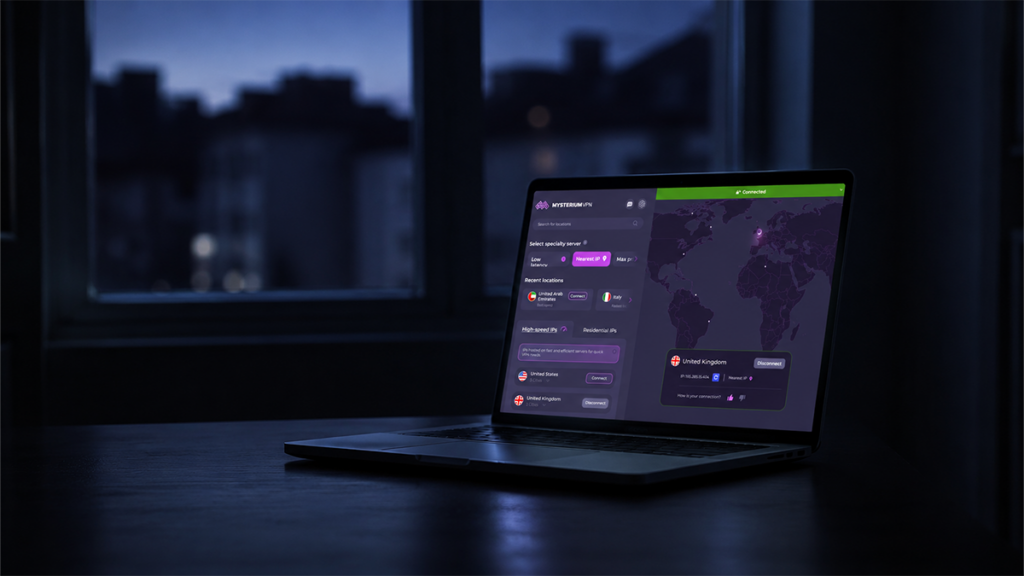
One provider using this approach is Mysterium VPN, which operates through a decentralized network of independently run nodes. Its advertised network includes more than 7,500 residential IPs across over 100 countries.
That arrangement may appeal to travellers or users who need more flexibility when selecting connection locations. Still, the actual experience depends on the available node, its speed and the website being accessed.
Speed Matters More Than Fancy Promises
Nobody wants to wait ages for a webpage to load on a phone. And if a video keeps buffering just as the interesting part begins, patience tends to disappear pretty quickly.
VPN performance depends on the user's internet connection, the distance to the selected location and network congestion. A service might perform brilliantly in one country and less impressively somewhere else.
Android users should look for modern protocols such as WireGuard, which is designed to provide efficient, secure connections. They should also test download speed, upload speed and latency under normal conditions rather than relying solely on advertised figures.
Battery consumption is another practical consideration. VPNs run in the background, so their effect on battery life may matter to someone who spends most of the day away from a charger. The impact varies by device, network conditions and app behaviour.
Is Setup Complicated?
A VPN shouldn't require a technical degree to get started. On Android, a straightforward app should make it easy to connect, select a location and check whether the connection is active.
Mysterium VPN supports Android alongside Windows, macOS and iOS. It also offers browser extensions for Chrome, Brave, Opera and Opera GX, which may be useful for people who browse across multiple devices.
The service advertises support for up to 15 simultaneous devices on eligible plans. That could be useful for households sharing a subscription across phones, tablets and computers.
Before downloading any VPN, it's sensible to check the app's permissions and confirm that it's published by the genuine provider. A VPN needs certain permissions to establish a connection, but unrelated requests deserve scrutiny.
What About Price and Reliability?
The cheapest VPN isn't always the best value, especially if it has restrictive device limits or unreliable connections.
Before subscribing, users should compare the full payment amount, renewal price and cancellation conditions. Refund policies vary between providers, so checking the terms in advance is a sensible move.
It's also worth considering customer support. When a connection suddenly stops working before an important video call, getting useful help matters more than having another flashy feature in the app.
For anyone comparing the best Android VPN options, the decision should come down to practical needs: privacy protections, speed, location choices, compatibility and cost.
Mysterium VPN is one option to investigate, particularly for users interested in decentralized infrastructure and residential IP access. Its advertised features include WireGuard, ChaCha20 encryption, leak protection and a kill switch. As with any provider, users should review the current privacy policy and subscription terms before committing.
The Bottom Line
A VPN for Android should make everyday browsing more private without making it unnecessarily complicated. Strong encryption, transparent privacy practices and dependable connections matter far more than an impressive list of features.
Residential IP access may be useful for people who encounter website restrictions, while a conventional VPN may be perfectly adequate for someone who mainly wants protection on public Wi-Fi.
The smartest approach is to compare a few services, test their performance and choose one that fits the way the phone is actually used.
What matters most when choosing an Android VPN: speed, price, privacy or access to different locations? Share your experience in the comments. After all, a recommendation from someone who's dealt with the same frustrating connection issues can be more useful than another five-star app-store rating.